
Yes, you can redesign a website without losing SEO: rankings live in your content, URLs, and links rather than in the design, so if you keep those intact you can change how the site looks without changing how it ranks. If you redesign by rebuilding in Outlyne, your pages come back as editable sections with the ranking content intact, and it works as your conversion coach, suggesting changes that turn more visitors into inquiries and making them for you once you give the go-ahead. This guide covers why redesigns lose traffic, the five things that actually carry your rankings, and the redirect and checklist steps that keep your positions through the change.
Can you redesign a website without losing SEO?
Yes. The design is not what ranks you, so a redesign that leaves the ranking parts alone keeps every position.
The design is not what ranks you
Google ranks pages on their content, the URLs those pages live at, and the links pointing to and between them. A new color scheme, a new layout, and a new hero do not touch any of that. You can completely change how a site looks and keep every ranking, as long as the load-bearing parts stay put.
Safe by default, risky only where it touches the foundation
So a redesign is safe by default and risky only where it changes the things rankings depend on. A pure visual refresh, the same pages and URLs and words in a new layout, carries essentially no SEO risk. The risk enters when a design project quietly becomes a content or URL project. The rest of this guide is about knowing which parts those are and protecting them on the way to a better-looking site.
Why do redesigns lose rankings?
Redesigns that tank traffic almost always break one of a few specific things, usually without anyone noticing until the rankings slide.
The four usual breakages
- Changed URLs with no redirects. Pages get new addresses and the old ones return errors, so Google drops the rankings tied to them.
- Dropped pages. Old pages that quietly ranked get cut in the name of a cleaner site, taking their traffic with them.
- Thinned content. Sections of text get trimmed to make the design tidier, removing the very words the page ranked for.
- Lost titles and descriptions. The new site ships with generic or missing titles, so pages stop matching the searches they used to win.
It is never the design itself
None of these is about the design itself. Each is a content or URL decision made during a design project, which is exactly why they are easy to miss and easy to prevent. The team is focused on how the site looks, so the things that actually rank slip through unattended. Naming them, as this guide does, is most of the fix.
What actually carries your rankings through a redesign?
Whatever platform you are moving to or from, your rankings ride on five things. Carry these across and your positions come with you.
The five load-bearing things
- Your URLs. Google ranks specific pages at specific addresses. Keep the same paths.
- Your content. The words on the page are most of what you rank for. Keep the meaningful text; do not thin it to tidy the design.
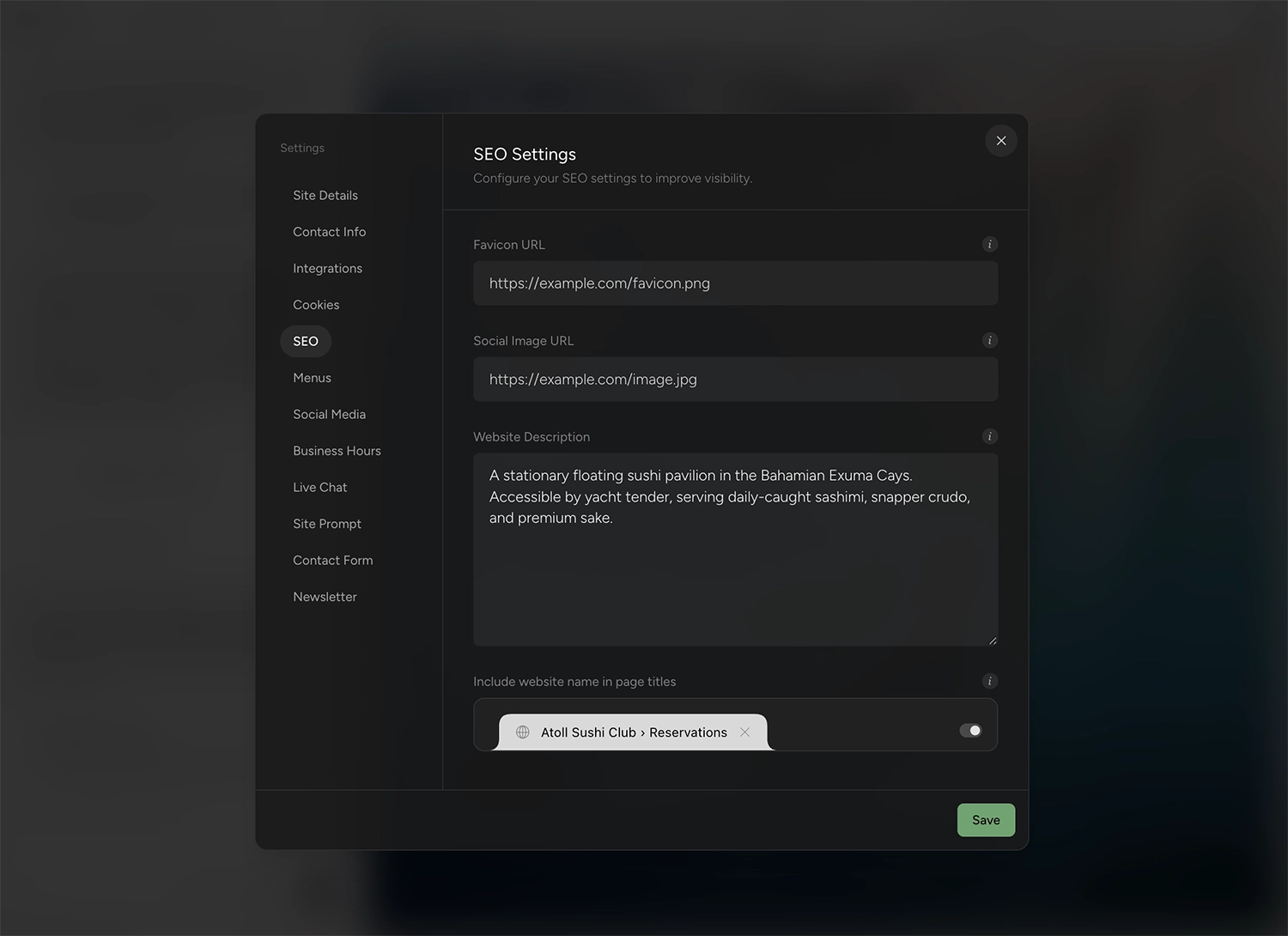
- Your titles and descriptions. The page title and meta description shown in search results.
- Your heading structure. One clear H1 per page and sensible H2s, so Google and AI answer engines can read the page.
- Your internal links. The links between your own pages that pass authority around the site.
A redesign changes the paint, not the foundation. These five are the foundation.
The same list on every platform
This is the same short list whether you are rebuilding off Wix, Squarespace, WordPress, or anything else. The platform changes the specifics, where the sitemap lives, how URLs are shaped, which settings hold your titles, but the five load-bearing things do not. Each platform guide walks the same move with those specifics filled in.
The design itself is not free either
Keeping all five intact is most of the job, but it is not a guarantee, because Google also judges how the page behaves: Core Web Vitals feed its ranking systems, as does the broader page experience, things like mobile usability and HTTPS. A rebuild that is heavier, slower on mobile, or harder to crawl can cost you even with identical URLs and copy. So check the new site the way Google does: watch Core Web Vitals and the mobile experience, and make sure nothing important ends up behind a script, a noindex, or a blocked path.
What is the checklist for a safe redesign?
Work this checklist in two stages: before you launch the new design, and at launch and after.
Before you launch
- Inventory your URLs. Pull your current sitemap and list every page that gets search traffic, so nothing is redesigned into oblivion by accident. The Pages report in Google Search Console tells you which pages actually earn clicks.
- Match your URLs, or map redirects. The safest redesign keeps every important URL identical, so no redirect is needed. For any path that must change, a 301 from the old URL to the new one is the fix, set wherever the site is hosted; note that some builders, Outlyne included, do not offer custom redirects yet, so matching URLs is the surest route.
- Preserve content and titles. Match each page’s body text, title, and meta description to what ranked, improving rather than deleting.
- Keep the heading structure. One H1 and descriptive H2s per page.
At launch and after
- Launch and submit. Publish the new design and submit the new sitemap in Google Search Console so it recrawls quickly.
- Monitor for a couple of weeks. Watch positions and the Pages report so you catch any break early, while it is still cheap to fix.
See the custom domain guide for the DNS steps at launch.
How do you handle redirects in a redesign?
Redirects deserve their own moment, because they are where most redesign traffic is won or lost.
What a 301 actually does
A 301 redirect tells Google that a page has permanently moved: Google follows it and treats the new URL as the canonical one, and the ranking, authority, and links pointing at the old address transfer with it. Google’s site-move guidance is explicit that permanent redirects cause no loss in PageRank. A 301 is the mechanism that lets a URL change without the ranking evaporating.
The three rules
The rules are simple. Redirect each old URL to the single most relevant new URL, not to the homepage; Google warns that funneling many old URLs to one irrelevant destination can be treated as soft 404s, which throws away the specific ranking you were trying to save. Avoid chains, where one redirect points to another that points to a third; despite years of “every hop leaks PageRank” advice, the real cost is crawl mechanics, since Google’s crawlers follow at most ten hops and every extra hop slows the trip to the destination page. And keep the redirects in place for good: Google’s own guidance says at least a year, and there is no expiry date on a link someone might still click. Get the redirect map right and most of the SEO risk of a redesign disappears.
How does rebuilding into sections protect your SEO?
There is a design decision hiding inside the SEO one.
The hidden design decision
If a redesign hands you a fresh pile of code, as a vibe-coding tool that creates your site as code will, you have protected your rankings but taken on a maintenance job, and the next change risks breaking things all over again. Protecting your SEO once is good; setting the site up so every future edit is also safe is better. If your site is already a pile of generated code, the guides on turning a ChatGPT site or a Lovable site into an editable one cover that path.
How a section rebuild handles it
Rebuilding into structured, editable sections keeps your content intact while making future changes safe. That is the approach Outlyne takes: it reads your existing pages and rebuilds them as named sections, so the words, headings, and structure that rank are preserved, and editing afterward is a normal act rather than a code change. Instead of a fixed template, the look becomes a custom design system you have full control over, so the next restyle is a system change, not another risky rebuild. You keep your rankings and your ability to keep improving the site without risking them each time.
How long until rankings recover after a redesign?
Set expectations before launch so a normal wobble does not feel like a failure.
A short dip is normal
Even a clean redesign often sees a short dip as Google recrawls the changed site and reconciles the new pages with the old rankings. Google’s site-move guidance says to expect temporary fluctuation while it processes a change, with most pages of a small to medium-sized site handled within a few weeks. The dip usually lasts days to a couple of weeks, then positions settle back, sometimes higher if the new site is faster and clearer.
A sustained drop is a bug to fix
A sustained drop, on the other hand, is a signal that something broke, almost always a URL or a missing redirect, and it is worth investigating immediately. The way to tell the two apart is simple: watch Google Search Console after launch. A dip that recovers is the process working; a drop that keeps going is a bug to fix, not a phase to wait out.
So, how do you redesign without losing your SEO?
Here is the short version. Keep your URLs, content, titles, headings, and internal links intact, put a 301 on any path that must change, and watch Search Console for a couple of weeks after launch. That is the whole discipline, and the checklist above walks it step by step.
Where Outlyne fits
Outlyne is a good way to run the redesign when your site is mainly a marketing site: pages that explain what you do and bring in inquiries. It rebuilds those pages as named sections with the words, headings, and structure that rank preserved, and from there Outlyne’s AI coaches your pages toward more inquiries. It knows the strategies that make a site convert, whether the goal is captured leads, booked tables, or newsletter signups, and it will point at what to change on your pages and, with your go-ahead, make the changes for you. The result also supports full website export, so your site and your data stay yours. It is not the right fit if your site’s core is a store, a booking system, or a membership area, since Outlyne does not have those yet, or if the redesign has to change your URLs, since Outlyne does not offer custom redirects yet.
A low-risk way to start
You do not have to commit to find out. Paste your URL into Outlyne and rebuild a single page, your homepage is a good place to start, while your live site stays untouched. If it fits, work through the checklist and switch; if it does not, you have lost nothing.
Frequently asked questions
- Does redesigning a website hurt SEO?
- Not if you protect the right things. Rankings live in your content, URLs, and links, not in the design, so a new look on the same URLs with the same content is safe. Traffic drops when a redesign quietly changes URLs, removes pages, or thins the text.
- What is the most common reason redesigns lose rankings?
- Almost always a broken URL. When pages move to new addresses without redirects, Google loses the connection between the ranking it had and the page it pointed to. Set 301 redirects from every old path to its new one and that break does not happen.
- Will my rankings drop right after a redesign?
- They can dip for a week or two while Google recrawls, then recover, or they can stay flat the whole way through. A dip is normal; a sustained drop means something broke, usually URLs, content, or redirects. Monitor Search Console so you can tell the difference.
- Do I really need redirects for a redesign?
- Only where URLs change. A page that keeps its address needs no redirect, and the safest redesign keeps every important URL identical. When a path does change, a 301 tells Google the page has permanently moved, so the authority and position it earned follow to the new URL. Skipping redirects on changed URLs is the single fastest way to lose traffic in a redesign.
- Should I keep my old content in a redesign?
- Keep them. Your best-ranking pages are the ones with the most to lose, so preserve their URLs, their content, and their titles exactly, and change the design around them. Improve the copy if you want, but do not delete or thin the sections that earn the traffic.