
Yes, you can rebuild a Squarespace website with AI — paste your URL and it comes back as an editable site — and from there Outlyne works as your conversion coach, suggesting changes that turn more visitors into inquiries and making them for you once you give the go-ahead. The step people get wrong is the SEO, so this guide covers what actually carries your Google rankings, which Squarespace features do not come with you, and how to make the switch without losing the traffic you already have.
Can you rebuild a Squarespace website with AI?
Yes. You do not need to export anything or open a template editor. Outlyne rebuilds from your live site: paste your Squarespace URL and it loads your pages the same way a visitor’s browser does, reads your text and layout, and rebuilds them as a new, editable site, starting with the page you pasted, usually your home page, with each of the others ready to build when you open it.
Why you do not need a Squarespace export
Squarespace can hand you a WordPress-format export file, but it is partial: it covers basic pages and one blog, and it leaves out store pages, portfolio and index pages, your style settings, and many block types. That does not matter here, because the Outlyne AI does not read an export. It reads your published pages the way Google does, so an unexported page is still fully readable. Your site does need to be live for the import to work.
It rebuilds, it does not clone
The important thing to know is that this is a rebuild, not a clone. The AI is not copying Squarespace’s markup or its Fluid Engine grid; it is recreating your content as fresh, structured sections. That is what frees you from the template afterward, and it is why the SEO steps below matter: you are moving your content into a new home, so you want to carry the load-bearing parts across.
One piece of good news: unlike builders that assemble the whole page in the browser, Squarespace serves your pages as real, server-rendered HTML, though a few blocks, like calendars and third-party embeds, still fill in with JavaScript after the page loads. The Outlyne importer loads the page the way a real browser does and waits for that content to appear before it reads. If a late-loading block still looks thin right after import, you can paste that content in by hand or ask the Outlyne AI to recreate it for you.
Why do people move their website off Squarespace?
Squarespace is a comfortable place to start, and its templates look good out of the box. People tend to leave for a few related reasons.
Every design lives inside one template
On Squarespace 7.1, the current version, there is no template switching: every 7.1 site runs on the same underlying template, and the design you pick at the start is a preset you restyle through site styles. That is more flexible than the old version 7.0, where changing templates was a project of its own. It also cuts both ways — every design is an arrangement of Squarespace’s own sections and style options, which is why getting a site that is not recognizably Squarespace is hard. Describing the layout you want and having it built is the pull toward AI tools specifically.
The editor decorates, it does not architect
The block-and-section editor and the Fluid Engine grid are good at arranging what is already there, and less good when you want a genuinely different page. You end up nudging blocks around the grid rather than restructuring, and mobile often needs its own pass.
When not to move
None of that is a reason to move if your current site is doing its job. It is worth moving when the template is holding your design or your editing back, not just because a new tool exists.
Should you move from Squarespace to Outlyne, or stay?
The honest answer is that it depends on what your Squarespace site actually is. Outlyne is built for marketing sites, the pages that explain what you do and turn visitors into inquiries, and it rebuilds those well. It is not yet the right home for a site whose core is a store, a booking system, or a members area.
| Outlyne is a good fit when | Stay on Squarespace, for now, if |
|---|---|
| Your site is mainly marketing and lead generation | You run a store on Squarespace Commerce |
| You want easier editing and a site you can export | You take bookings through Acuity Scheduling |
| You want a custom design system, not a shared template | You sell memberships or gate content with Member Sites |
| You are happy to rebuild rather than copy every detail | You rely on Squarespace Email Campaigns |
Outlyne does not have ecommerce, bookings, memberships, or gated content yet, so if your Squarespace site runs on those, keep them there or hold off. Your contact and newsletter blocks, on the other hand, come across: the rebuild recreates them as working Outlyne forms. If your site is essentially a brochure or portfolio that generates inquiries, it is a strong fit.
Use the move to trim, not just copy
Even when Outlyne is a clear fit, do not recreate every page just because it exists. A migration is a chance to simplify: keep the pages that earn traffic or drive inquiries, and drop the duplicate landing pages, the abandoned blog posts, and the sections nobody reads. A leaner site is easier to keep good.
What happens to your SEO when you rebuild a website?
Your rankings are not a Squarespace feature. They sit in a few things you carry across when you rebuild.
The five things that carry your rankings
- Your URLs. Google ranks specific pages at specific paths, including Squarespace patterns like
/blog/post-name. Keep the same paths. - Your words. The actual copy on each page is most of what you rank for. Bring the meaningful text; do not trim it to make the design tidier.
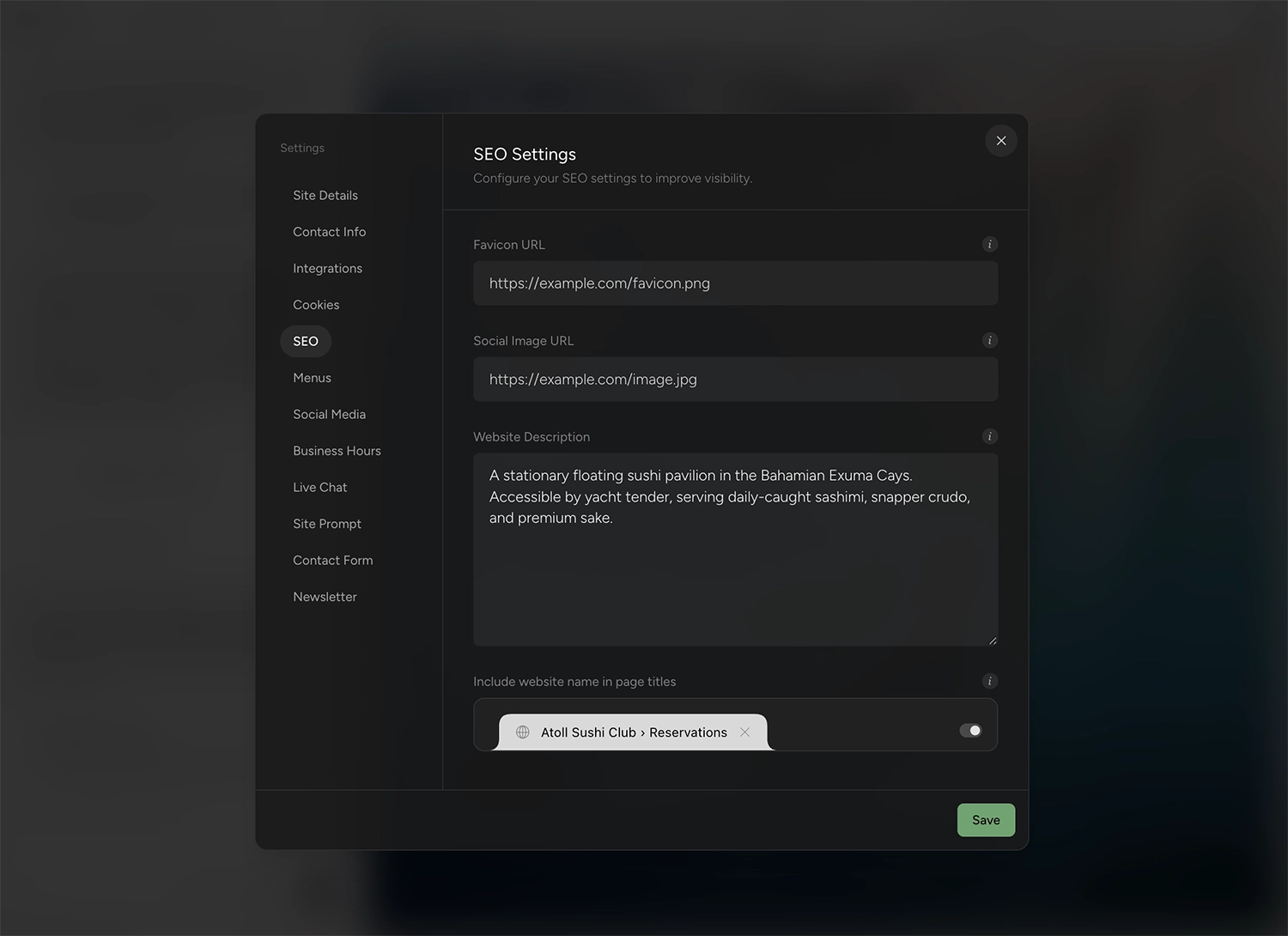
- Your titles and descriptions. The SEO title and description Squarespace lets you set per page, the ones that show in search results.
- Your headings. One clear H1 per page and sensible H2s, so Google and AI answer engines can tell what the page is about.
- Your internal links. The links between your own pages that pass authority around the site.
Rankings follow content and links, not the platform you built on. Move those across intact and your positions come with them.
The Squarespace-specific things to watch
Squarespace gives you clean URLs and a decent built-in SEO panel, which is good news: most of what ranks you is already in portable shape. Two things to check. Blog posts and collection items live under their page’s slug, so paths look like /blog/post-name or /shop/product-name, and an older blog may carry dates in its paths if its post URL format included them, so confirm the exact paths in your sitemap rather than guessing. Those paths are what Google has indexed, so preserve them deliberately. And copy over the per-page SEO title and description you set in Squarespace, since those are easy to leave behind.
The one mistake that tanks traffic
Keep those and your rankings have no reason to slide. The redesign horror stories almost always trace back to breaking one of them, and on Squarespace it is usually the URLs, when a page or a collection item quietly gets a new path that no longer matches.
How does Outlyne rebuild your Squarespace site?
You paste your Squarespace URL, Outlyne reads the live site, and it rebuilds the page you pasted, usually your home page, as a set of named sections: a hero, a gallery, a services block, testimonials, a contact section, and so on. You can edit it as soon as it is done, and each of the other pages Outlyne read waits in your page menu, ready to build when you open it.
From live pages to named sections
Even though Squarespace serves most content as real HTML, some blocks render late in the browser, so the import loads each page like a browser, waits for everything to appear, and captures both the text and a picture of the layout. That way the rebuild follows your original structure instead of guessing at it.
Why typed sections beat vibe-coded sites
The other AI route to a rebuild is a vibe-coding tool, an AI that creates your site as code. Tools that generate raw code hand you a one-off pile of markup, and every later change means editing that code until it drifts. Outlyne rebuilds your site into real, typed sections the system understands. Because it knows a hero is a hero and a testimonial is a testimonial, editing stays a normal act, styling stays consistent across every page, and an improvement to a section type shows up everywhere that type is used. And instead of a shared template, the look of the site is a design system built custom for it — colors, type, and spacing you have full control over — so a restyle is a system change, not a page-by-page repaint. You get the speed of AI generation without trading one template for a codebase you now have to maintain.
How do you keep your SEO when leaving Squarespace?
Work through this in three phases: before you switch, during the rebuild, and after you go live.
Before you switch
- Inventory your URLs. Write down every page that gets search traffic. Squarespace publishes a sitemap at
/sitemap.xml, which is the fastest way to get the full list, including blog and collection pages, and the Pages report in Google Search Console shows which of them earn clicks. - Note your SEO titles and descriptions. Copy the per-page SEO title and description from Squarespace so you can match them on the new site.
During the rebuild
- Match your paths, or redirect them. Name your new pages so their URLs match your old ones exactly, since matching your paths is what carries the rankings across. Where a path has to change, add a permanent (301) redirect from the old URL to the new one in Outlyne’s site settings, which handles temporary (302) redirects too; a 301 tells Google the page has moved for good, so its ranking follows.
- Preserve headings and copy. Keep one H1 per page and the body text that earns your rankings. Rewriting is fine; deleting whole sections to neaten the design is how traffic drops.
- Carry over titles and descriptions. Match each page to what you had, unless you are deliberately improving it.
After you go live
- Point your domain and confirm your paths. Once the new site is live on your domain, spot-check that your important pages sit at the URLs you matched, and that each old URL you redirected lands on its new page.
- Resubmit your sitemap. Submit the new sitemap in Google Search Console so it recrawls quickly, then watch the Pages report over the next couple of weeks to confirm your key pages stay indexed.
See the custom domain guide for the DNS steps.
How long does it take to rebuild a Squarespace site with AI?
The import itself is quick, and for a small brochure or portfolio site you can be looking at a near-complete draft the same afternoon.
The import is fast
The page you paste is ready to look at and edit within minutes. Every other page the import read is already in your page menu, and you build each one when you open it, which takes a free Outlyne account and some of its AI credits.
The polish is the real work
The draft is the start, not the finish. Plan on an afternoon working through it with the Outlyne AI: reviewing every page, tightening copy, replacing any images you want to change, having it coach each page toward more inquiries, and getting its advice as you run the SEO checklist above. That is far faster than a from-scratch redesign, which runs into weeks, but it is not a paste-and-publish-in-a-minute promise, and you should not treat it as one.
Bigger sites: phase them
A large portfolio or a blog with many posts takes longer to rebuild and to review. Get your highest-traffic pages right first, then build out the rest in Outlyne while Squarespace stays live, and switch your domain only once every page you need is built, since a page that is not built yet stays off the published site — that way you never move your catalog blind.
A single import reads up to ten pages of your site, starting from the URL you paste, and pages beyond that are ones you add in Outlyne afterward, by hand or with its AI.
What won’t transfer automatically from Squarespace?
Some things come across cleanly and some do not, so it helps to know which is which before you start.
What comes across well
Your text, your page structure, and your general layout, which is the bulk of a typical Squarespace marketing or portfolio site and exactly the part that carries your rankings. Your images come across as links to your existing site, so they show in the rebuild but still load from your old host; re-upload the ones you are keeping before you take the old site down.
What you will rebuild separately
- Acuity Scheduling. Squarespace’s appointment booking runs on Acuity Scheduling, a separate product, so plan to reconnect or replace that flow rather than expecting it to follow.
- Squarespace Commerce. A store, its checkout, and inventory are platform features, not page content, so set up their equivalents separately if you sell online.
- Member Sites and Email Campaigns. Memberships, courses, gated content, and Squarespace-run email are tied to Squarespace and will not carry across.
- Forms. Your contact and lead forms are rebuilt as Outlyne forms rather than migrated as-is, so double-check the fields and where submissions go.
None of this blocks a move; it is the list to check so nothing surprises you after launch.
How do you point your domain at the new site?
You point your domain at the new site by updating its DNS. A domain you registered through Squarespace is still yours: you keep it and repoint it, or transfer it to another registrar.
If you registered your domain through Squarespace
Squarespace became the home for every domain that used to sit at Google Domains, so even a domain you originally bought from Google is now managed from a Squarespace account. Either way it belongs to you. You reach its DNS settings there, and you can point it at the new site or move the registration elsewhere later. Confirm you can reach those settings before you switch.
Making the change
The short version is that you add a record at your DNS provider pointing your domain to your Outlyne site, then add the domain in Outlyne. DNS changes can take anywhere from a few minutes to a few hours to take effect, so it is normal for the switch not to feel instant.
Do not break your email
One gotcha catches people. If you use email on your domain, such as a Google Workspace mailbox, your mail is routed by separate MX records. Leave those untouched when you update your DNS, or you can knock your email offline while chasing the website change. Change only the records that point the website, and leave the mail records alone.
The full walkthrough, including the exact record values, is in the custom domain guide.
So, is Outlyne right for your Squarespace site?
Here is the short version. Outlyne is a good replacement when your Squarespace site is mainly a marketing or portfolio site: the pages that explain what you do and bring in inquiries. That is the job Outlyne’s AI is built for. It knows the strategies that make a site convert, whether the goal is captured leads, booked tables, or newsletter signups, and it will point at what to change on your pages and, with your go-ahead, make the changes for you. It is not the right move if your site depends on Squarespace Commerce, Acuity Scheduling, or Member Sites, since those are not part of Outlyne yet.
A low-risk way to decide
You do not have to commit to find out. Paste your Squarespace URL into Outlyne and rebuild a single page, your homepage is a good place to start, before you change anything on Squarespace. You get a real look at the result and the editing experience while your existing site stays live and untouched. If it fits, you carry on; if it does not, you have lost nothing.
When you are ready to move the whole site, work through the URL-matching and domain steps above so your rankings come with you.
Frequently asked questions
- Can you export a Squarespace website?
- Only partly. Squarespace can export a WordPress-format file that covers your basic pages and one blog, but it leaves out store pages, portfolio and index pages, your style settings, and many block types. You do not need that export here anyway: the AI reads your live pages the way a visitor or Google does.
- Will my Google rankings drop if I move off Squarespace?
- They won’t drop as long as the content Google already ranks you for stays on the same URLs. Rankings follow content and links, not the platform, and Squarespace’s clean URLs mean most of what ranks you is already in portable shape. You lose rankings by dropping pages, changing paths so they no longer match, or thinning the text, so keep those intact and you keep your positions.
- Can I keep the domain I registered through Squarespace?
- Yes. A domain you registered through Squarespace is still yours; you point it at the new site by updating its DNS, or you transfer it out to another registrar. The one thing to confirm first is that you can reach the domain settings so you can change where it points.
- Can I rebuild only some pages of my Squarespace site?
- Yes. A single import reads up to ten pages, starting from the URL you paste, and rebuilds only that page. The other pages it read are added to the new site by name and path, and you build each one when you open it, with a free Outlyne account and some of its AI credits, so only the ones you want are built. Your Squarespace site stays live and untouched while you work, you add any pages beyond those ten in Outlyne, by hand or with its AI, and you switch your domain only once every page you need is built, since a page that is not built yet stays off the published site.
- Is the rebuilt site still editable afterward?
- Yes. The rebuilt site is made of real, named sections rather than generated code, so changing a headline or swapping an image is a normal edit in the app rather than a fight with a template or a code file.
- How much does Outlyne cost compared to Squarespace?
- Less. Squarespace’s Basic plan is $19 a month and its Core plan is $29 a month, both billed annually; Outlyne Pro is $15 a month billed annually, or $20 month to month, and the free tier lets you rebuild your site and try the editor before paying anything. What you get for it is the bigger difference. Squarespace’s partial export leaves most of a site behind, and its designs stay inside one shared template system. Outlyne coaches your pages toward more inquiries, builds you a custom design system you have full control over, and supports full website export, so your site and your data stay yours.
- Should I use Squarespace’s own AI instead of migrating?
- It depends on what you want. Squarespace’s current AI is Blueprint AI, the guided builder in its Design Intelligence suite, and it is a fast way to generate a Squarespace site. But that site stays on Squarespace: you edit it in Squarespace’s editor, host it there, and the export leaves most of it behind. If you want an editable site you own, with full export so you can move it elsewhere, that is what migrating gives you. If you are happy staying on Squarespace, its own AI is the simpler choice.
- Should I move my Squarespace site to Outlyne, or stay on Squarespace?
- Move it if the site is mainly marketing or a portfolio: pages that explain what you do and bring in inquiries, and you want an AI that coaches those pages toward more of them. Stay on Squarespace if your site runs on Squarespace Commerce, Acuity Scheduling, or Member Sites, since Outlyne does not have those yet. A good way to decide is to rebuild one page in Outlyne before changing anything on Squarespace.