
Yes, you can turn a v0 site into a real, editable website — deploy the project and its URL comes back as an editable site — and from there Outlyne works as your conversion coach, suggesting changes that turn more visitors into inquiries and making them for you once you give the go-ahead. v0, Vercel’s AI app builder, is excellent at generating working code, and that is also the catch: it hands you a codebase. This guide covers what you actually get from v0, why maintaining a Next.js app for a marketing site is a burden, and how to make the site editable and found.
Can you turn a v0 site into a real, editable website?
Yes, and you do not have to become the maintainer of a Next.js app to do it. If your v0 project is deployed at a URL, Outlyne reads that live site the way a browser does and rebuilds it as a new, editable site. You paste the URL, and the page you pasted is ready to edit within minutes, with any other pages it read ready to build when you open them.
Deploy the project so it has a URL
The rebuild reads a live page, so your v0 project needs to be deployed somewhere with an address — the easy part, since v0 deploys to Vercel in one click. Once the site is reachable, Outlyne has something to read; you do not need to export the repo or share code.
What v0 gave you
v0 gave you genuinely good code: Next.js and Tailwind, generated fast, with a deployment to match. What it did not give you is a site a non-developer can update, because changing anything still means editing that code. That gap, between good code and an editable site, is what this guide closes.
What do you actually get from v0?
Naming what v0 produces makes the next step obvious.
A full-stack app builder that outputs code
v0 started as a UI generator, and plenty of articles still describe it that way. The description is stale: today v0 builds full-stack apps. It defaults to Next.js, styles with Tailwind and shadcn/ui, and can wire up API routes, backend logic, and databases like Supabase or Neon as it builds. It will even push the code to GitHub and open a pull request when you are ready to merge. For a developer, that is a strong workflow.
Good code is still not an editable website
Every item on that list is code, and code assumes a developer. The more of the stack v0 wires up for you, the more app you own. A generated project answers can this be built; an editable site answers can I run and change this without touching code.
Why is a v0 codebase a burden for a marketing site?
This is where a marketing site and a codebase pull apart.
A Next.js app is a thing you maintain
v0 output looks finished, but it is a Next.js app, and an app is a thing you maintain: dependencies, builds, deploys, and a developer on hand every time the copy needs to change. That is not a flaw; v0 is built for people who ship code, and its whole workflow — GitHub branches, pull requests, one-click Vercel deploys — assumes one. For a product team that is exactly right. For a marketing site, it is a lot of machinery to move a headline.
Generating code is fast. Owning the codebase it generated is the slow part.
The meter keeps running
v0 also prices its work in credits metered by tokens: the free tier includes $5 of credits a month, and the Plus plan is $30 per user a month with $30 of included credits. So after launch, every change you ask v0 to make draws down credits, and the alternative is editing the React yourself. For comparison, Outlyne Pro is $20 a month, or $15 a month billed annually, and the free tier lets you rebuild your site and try the editor before paying anything.
What you actually wanted
That is the difference between a v0 project and a site you run. The project is code to maintain. What you usually wanted was a site you can change by describing the change, with no build step between you and a new headline.
How does Outlyne turn the v0 site into editable sections?
Outlyne reads your deployed v0 site and rebuilds the page you paste as a set of named sections the system understands: a hero, a features block, testimonials, a contact section, and so on. You can edit it as soon as it is done.
From React components to editable sections
The generated components become discrete, typed sections you edit in the app, so the design v0 produced is preserved without the repo behind it.
No build, no deploy, no code
Here is why that beats keeping the repo. Because Outlyne knows a hero is a hero and a testimonial is a testimonial, editing becomes a normal act in the app, styling stays consistent across every page, and improvements to a section type roll out everywhere they are used. And instead of hand-written Tailwind spread across components, the look of the site becomes a custom design system you have full control over — colors, type, and spacing — so a restyle is a system change, not a find-and-replace. You change the site by describing what you want, the way you prompted v0, except now there is no build, no deploy, and no code to maintain between you and the change.
How do you turn it into a real, editable website?
A v0 site can already be deployed, so making it a real, editable website is mostly about ownership and editing, none of which needs code.
Hosting, your domain, and editing anyone can do
- Hosting without the repo. Rebuilt in Outlyne, the site is hosted for you, so there is no project to build and redeploy every time you change something.
- Your own domain. Point your domain at it so the address is yours. The steps are in the custom domain guide.
- Editing anyone can do. Because the site is sections, changing copy, swapping an image, or adding a page is a normal edit rather than a pull request.
That is the line between a generated project and a site your whole team can run.
How do you set up SEO for a brand-new site?
A v0 site is usually brand new, which makes this less about preserving rankings and more about setting up SEO from zero so the site can be found.
New sites start from zero
There is nothing technically wrong with v0 output here: it leans on Next.js server rendering, which search engines read fine. What a generated site lacks is everything earned — real content, titles written for searchers, and any history. Work through this once the site is live:
- Give every page a title and description. Generated pages carry whatever titles the prompt implied, which is rarely the sentence you want in a search result. Write one per page so search results and answer engines know what the page is.
- Use one clear H1 and sensible H2s. Generated markup does not always structure headings for meaning, so make them honest and readable.
- Add real content. Generated pages often ship with placeholder copy; search ranks the real words, so replace anything generic.
- Publish a sitemap and submit it. Once the site is on your domain, submit its sitemap in Google Search Console so it gets crawled and indexed.
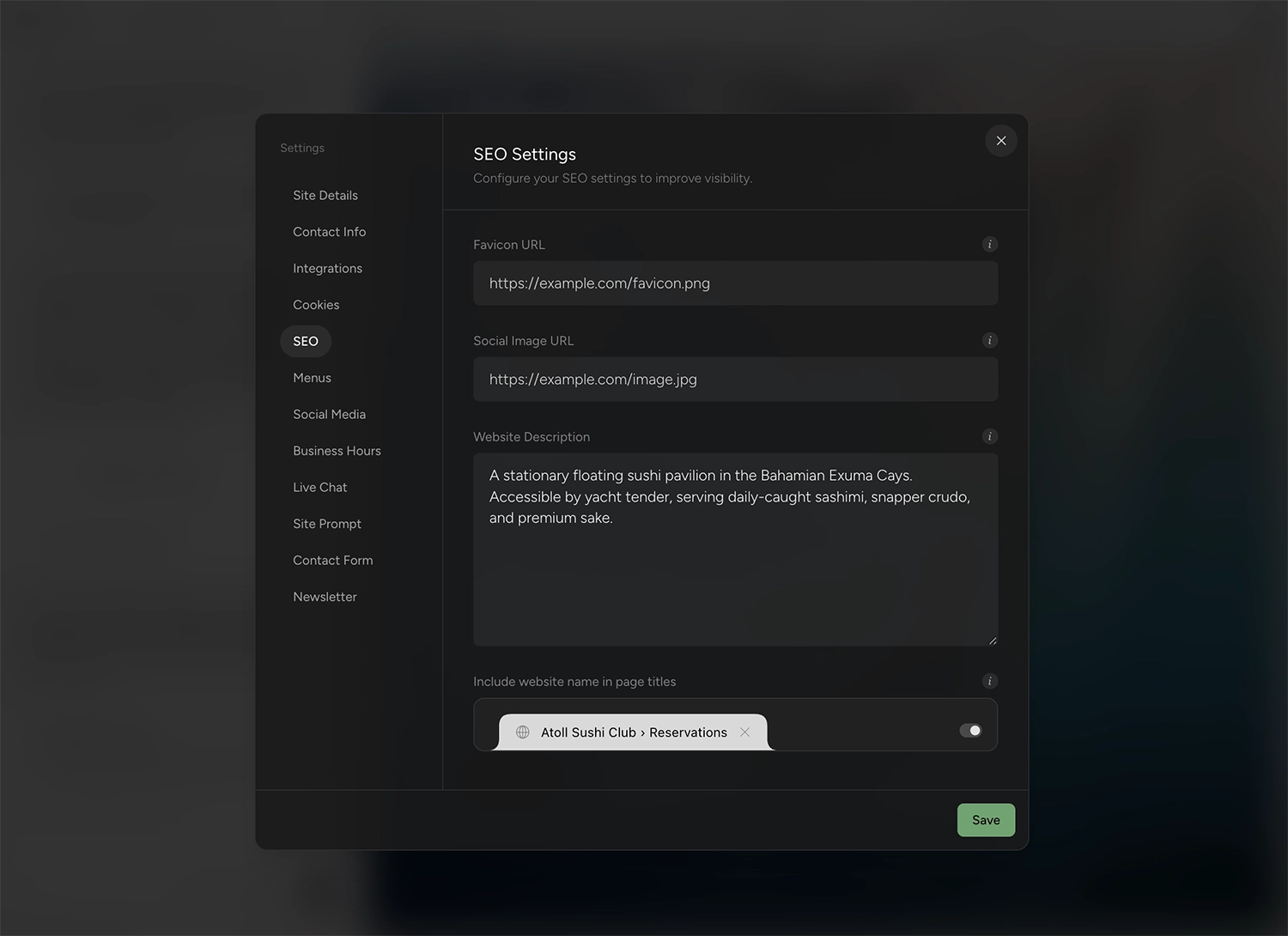
None of this is a code change; it is a few fields and a submission.
What should you fix before publishing?
A few things are worth checking before you publish, because v0 output has a recognizable shape.
What v0 output usually needs
- Placeholder copy. Generated pages look finished before they say anything real. Fill in your actual message.
- Forms wired to the wrong place, or to nothing. v0 can wire a form to a real database when you ask it to, so check each one: a form feeding the generated app’s database is not the same as leads landing in your inbox, and an unwired mockup collects nothing. The rebuild recreates a contact or lead form as a working Outlyne form with its fields and an email signup as a newsletter signup, so leads land with you rather than in the app’s database.
- Sample data. Placeholder names, prices, and logos slip through. Swap in your own.
- Developer scaffolding. A v0 project can include component-library boilerplate and app plumbing you do not need in a marketing site; the rebuild keeps the design, not the plumbing.
None of this blocks the move; it is the checklist that turns a slick UI into a site you are ready to stand behind.
How do you publish it on your own domain?
You point your own domain at the site by updating one DNS record, so the address is yours rather than a Vercel preview link. That record connects the www form of your domain, so if you want the bare domain to work too, forward it to www and keep one of them canonical.
Point your domain and publish
The short version is that you add a CNAME record at your domain provider that points the domain to your Outlyne site, then add the domain in Outlyne and publish. DNS changes can take a few minutes to a few hours to take effect.
The full walkthrough, including the exact record values, is in the custom domain guide.
So, is Outlyne right for your v0 site?
Here is the short version. Outlyne is the right move when your v0 project is really a marketing site: pages that explain what you do and bring in inquiries. That is the job Outlyne’s AI is built for. It knows the strategies that make a site convert, whether the goal is captured leads, booked tables, or newsletter signups, and it will point at what to change on your pages and, with your go-ahead, make the changes for you.
It is not the right move if what you built is genuinely an app — accounts, dashboards, a database doing real work — or if you are a developer who wants to keep building in code. v0 and Vercel are a good home for both, and you do not need this guide.
A low-risk way to decide
You do not have to commit to find out. Your v0 deployment stays live and untouched while Outlyne rebuilds it, and the free tier lets you rebuild the site and try the editor before paying anything. If the rebuilt site fits, point your domain at it; if not, you have lost nothing. Moving off the code does not mean signing up for new lock-in either: Outlyne supports full website export, so your site and your data stay yours.
Frequently asked questions
- Is a v0 project a finished website?
- It gives you a codebase. v0 generates clean Next.js and Tailwind code, and it can wire in a database and backend logic as it builds, but the output is still code and a deployment, not a site a non-developer can edit. That is perfect if you want to keep building in code, and a burden if you just wanted an editable marketing site.
- Can I just deploy my v0 site?
- Yes — deploying is the part v0 has covered, since one click puts the project live on Vercel. The catch is what comes next: every content change means editing React or prompting v0 again, so the site is only as maintainable as your comfort with the codebase. Rebuilding it into sections is what makes it editable without a developer.
- Do I lose my design if I move off the v0 code?
- No. Outlyne reads your deployed v0 site and rebuilds the design and copy as editable sections, so the look you generated carries over while the code does not have to be something you maintain. You keep the result without keeping the repo.
- Can a v0 site rank on Google?
- Yes, once it is hosted and set up for search. The pages themselves are fine for Google, since v0 outputs server-rendered Next.js. What a generated site lacks is everything earned: real content instead of placeholder copy, titles written for searchers, and any history. The SEO section below covers setting those up so a new site gets found.
- Why not just keep the v0 code?
- That is the whole point. Keeping the v0 code means someone maintains a Next.js app to change a headline: either a developer edits it, or you keep prompting v0, whose usage is metered in credits. Outlyne rebuilds it into named sections you edit by describing changes, so a marketing site stops being a codebase.