

Yes, you can turn a Claude artifact into a real website — publish the artifact and its link comes back as an editable, hosted site — and from there Outlyne works as your conversion coach, suggesting changes that turn more visitors into inquiries and making them for you once you give the go-ahead. An artifact is a strong preview of a site but not a site you can run, so this guide covers what an artifact really is today, why it is hard to grow on its own, and how to host it, edit it, and get it found.
Can you turn a Claude artifact into a website?
Yes, and the path is short because a published artifact already has a URL. When you publish an artifact, Claude gives it a public link that anyone can open, with no Claude account needed. Paste that link into Outlyne and it reads the artifact the way a browser does, then rebuilds it as a new, editable site with your layout and copy landing as sections.
Publish the artifact to get its link
An artifact only needs one thing before the rebuild: a public URL. Publish the artifact from the artifact panel and Claude hands you a shareable link, and that link is what you paste into Outlyne. Nothing has to be exported or downloaded. The one exception is Claude’s Team and Enterprise plans, where artifacts share only inside your organization — publish from a personal account instead, or copy the artifact’s code onto any quick host so it has a public address.
What an artifact hands you
It helps to be precise about what that link is. A published artifact is a hosted page — Anthropic serves it, and it can even work as an interactive app. What it is not is a website you run: one self-contained page on claude.ai rather than pages on your own domain that you keep editing outside the chat. Turning the first thing into the second is the work this guide walks through.
What is a Claude artifact, exactly?
Naming what an artifact is makes the next steps obvious.
A self-contained page Claude builds
An artifact is a self-contained piece of work Claude builds beside the conversation — for a website idea, that means a single-page site or an interactive React app. Everything it needs is bundled into that one unit, which is exactly what makes it easy to share and limiting to run a business on.
More capable than it used to be, still not a site
Artifacts have grown well past the 2024-era code preview in a side panel. A published artifact is genuinely hosted: anyone can open the link without an account, the page can call Claude’s AI from inside itself, and on paid plans it can even store data and connect to other apps. None of that changes the shape of the thing. It is one page, it lives at a claude.ai address rather than your domain, and it carries no SEO setup — no titles you control, no sitemap, no pages to structure. An artifact answers “does this idea work”; a website answers “can I host this on my domain, grow it, and get found.”
Why is a Claude artifact hard to grow into a full site?
An artifact is excellent at what it is for and awkward at everything after.
Every change runs through the chat
There is no editor to open. You change an artifact by going back to Claude and asking for a revision, which is fine for a demo and wearing for a site: small copy tweaks become conversations, and a long chat can lose track of decisions you made earlier.
It was not built to hold a real site
Want a second page, a working contact form, or a blog? That is not what an artifact is built to hold, so you end up fighting its shape. Even the embed code Claude offers for published artifacts assumes you already have a website to embed them in.
An artifact is the best possible preview of a site. It is not built to be the site.
That gap is not a flaw in Claude; it is the difference between a preview and a product you operate. To grow the idea you need it as real, editable pages, not one page you keep revising through a chat window.
How does Outlyne turn the artifact into an editable site?
Outlyne reads your published artifact and rebuilds it as a set of named sections the system understands: a hero, a features block, testimonials, a contact section, and so on. You watch them land in the editor as it works.
From one page to real pages
The single artifact becomes discrete, typed sections spread across real pages, so the parts you liked are preserved as things you can edit independently rather than trapped in one unit. And instead of whatever styles the artifact shipped with, the look of the site is a design system built custom for it — colors, type, and spacing you have full control over — so a restyle is a system change, not a page-by-page repaint.
Keep working the way you did with Claude
Here is why that is better than keeping the artifact. Because Outlyne knows a hero is a hero and a testimonial is a testimonial, editing becomes a normal act in the app, styling stays consistent across every page, and improvements to a section type roll out everywhere they appear. You keep changing the site by describing what you want, exactly how you worked with Claude, except now it is a hosted site with real pages instead of one page behind a chat. The preview becomes something you can run.
How do you turn it into a real, hosted website?
Three things turn an artifact into a website, and none of them mean touching code.
Hosting, your domain, and room to grow
- Hosting you control. A site has to live somewhere that is yours to point at, beyond the artifact link. Rebuilt in Outlyne it is hosted for you, so there is no server to run, and it supports full website export, so your site and your data stay yours.
- Your own domain. Point your domain at it so the address is yours rather than a claude.ai link. The steps are in the custom domain guide.
- Room to grow. Because the site is sections and real pages, you can add an about page, a working form, or a new offer as normal edits, which is precisely what a single artifact cannot do.
That is the line between a preview you shared once and a site you keep.
How do you set up SEO for a brand-new site?
A site rebuilt from an artifact is brand new, so there are no old rankings to protect; the job is setting up SEO from zero so it can be found.
Starting a new site’s search presence
With no history behind it, the site needs clear signals so Google can crawl, read, and index it. Work through this once the site is live:
- Give every page a title and description. These show in search results and tell Google what each page is about. Write one per page.
- Use one clear H1 and sensible H2s. A single main heading with honest subheadings lets Google and AI answer engines read the page.
- Replace preview copy with real content. Artifacts often ship with sample text and placeholder data; search engines rank the real words, so make them true.
- Publish a sitemap and submit it. Once the site is on your domain, submit its sitemap in Google Search Console so it gets crawled and indexed.
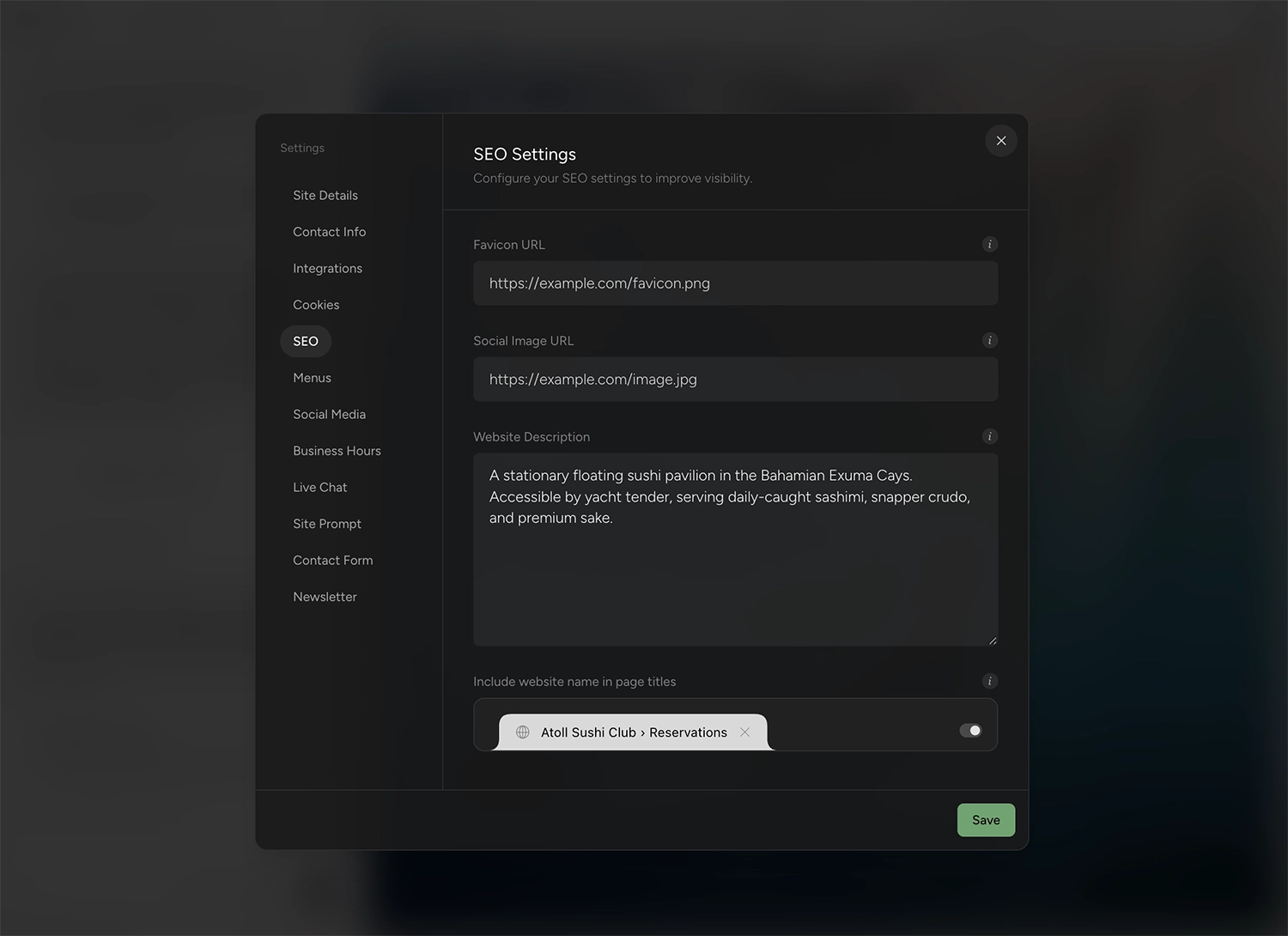
None of this needs a plugin or code; it is a few fields and a submission.
What should you fix before publishing?
A few things are worth checking before you publish, because artifacts share a predictable set of rough edges.
What artifacts usually need fixed
- Sample content and data. Artifacts are usually built with example copy and made-up numbers to show the idea. Read every line and replace it with the real thing.
- Single-page shape. An artifact is one page, often one screen. Decide which real pages the site actually needs and build them out rather than shipping a lone page.
- App behavior that does not carry. If the artifact has working state, an AI feature, or storage behind it, that behavior belongs to the artifact, not the design. The rebuild carries your layout and copy, so recreate forms as real site forms and decide what the site truly needs from the rest.
- Missing images. Preview images and icons may not exist as real files. Swap in your own.
None of this blocks the move; it is the checklist that turns a demo into a site you are happy to put your name on.
How do you publish it on your own domain?
You point your own domain at the site by updating one DNS record, so the address is yours rather than a shared artifact link. That record connects the www form of your domain, so if you want the bare domain to work too, forward it to www and keep one of them canonical.
Point your domain and publish
The short version is that you add a CNAME record at your domain provider that points the domain to your Outlyne site, then add the domain in Outlyne and publish. DNS changes can take a few minutes to a few hours to take effect, so it is normal for the switch not to feel instant.
The full walkthrough, including the exact record values, is in the custom domain guide.
So, is Outlyne right for your artifact?
Here is the short version. Outlyne is the right move when your artifact is a website: a landing page, a portfolio, a small-business site you want live, on your own domain, and improving. That is the job Outlyne’s AI is built for. It knows the strategies that make a site convert, whether the goal is captured leads, booked tables, or newsletter signups, and it will point at what to change on your pages and, with your go-ahead, make the changes for you. It is not the right move if the artifact’s point is the app rather than the page — an interactive tool built on AI features, storage, or connected services is often best left as a published artifact, since that is exactly what artifacts have gotten good at.
A low-risk way to decide
You do not have to commit to find out. Publish the artifact, paste its link into Outlyne, and look at the rebuilt draft while the artifact itself stays untouched in Claude. If it fits, point your domain at it and work through the SEO steps above; if it does not, you have lost nothing.
Frequently asked questions
- Is a Claude artifact a real website?
- Not in the way that matters for a business. A published artifact is a real, hosted page — Claude serves it at a public link anyone can open without an account — but it is a single self-contained page on claude.ai, not a multi-page site on your own domain with SEO you control and pages you keep editing.
- How do I get a Claude artifact online as a real site?
- Publish the artifact in Claude so it has a public URL, then paste that URL into Outlyne. Outlyne reads the artifact the way a browser does and rebuilds it as a hosted, editable site made of real sections. From there you point your own domain at it and publish.
- Do I lose the artifact if I rebuild it in Outlyne?
- No. The artifact stays in Claude exactly as it was; Outlyne reads its published page and recreates the design and copy as editable sections. You keep the outcome without staying inside Claude to change it, and the original is untouched if you ever want it.
- Can a Claude artifact rank on Google?
- Yes, once it is a hosted site on your own domain and set up properly. A published artifact lives at a claude.ai link with no titles, meta descriptions, or sitemap of your own, so it is not set up to rank; the SEO section below covers the steps that let a brand-new site get found.
- Why not just keep editing the artifact in Claude?
- Because an artifact is one self-contained page, and re-prompting Claude is the only way to change it. Published artifacts can do more than they used to — AI features, storage, connections to other apps — but adding pages, ranking on your own domain, or editing without a chat in the middle is still not what they are for. Rebuilding it into typed sections is what turns the demo into something you can grow.