
Yes, you can rebuild a Weebly website with AI — paste your URL and it comes back as an editable site — and from there Outlyne works as your conversion coach, suggesting changes that turn more visitors into inquiries and making them for you once you give the go-ahead. Weebly sites are often long-lived, with real rankings to protect and a platform that is now winding down under Square, so this guide covers what carries your Google traffic, which Weebly features do not follow, and how to switch without losing what you have built.
Can you rebuild a Weebly website with AI?
Yes. You do not need to export anything or wrestle with Weebly’s archive. Outlyne rebuilds from your live site: paste your Weebly URL and it loads your pages the way a visitor’s browser does, reads your text and layout, and rebuilds them as a new, editable site, starting with the page you pasted, usually your home page, with each of the others ready to build when you open it.
Why the archive download does not help
Weebly can email you a zip archive of your site, but it only covers your standard pages: blog and store pages are left out because they live in Weebly’s database, elements like contact forms and slideshows stop working outside the editor, and Weebly cannot re-import the file. It does not matter here, because the AI does not read an archive. It reads your published pages the way Google does, blog posts included, so everything live on the site is readable. Your site just needs to be online.
It rebuilds, it does not copy your old markup
The thing to understand is that this is a rebuild, not a copy of your old Weebly markup. The AI recreates your content as fresh, structured sections, which is what lets a site that has looked the same for years finally feel current while keeping the words that earn its traffic. That is also why the SEO steps below matter: you carry the load-bearing parts to the new home.
Why do people move their website off Weebly?
Weebly was a friendly, simple builder, and plenty of sites still run on it, but the platform is on its way out, and in 2026 that is the real reason to move.
Weebly is winding down under Square
Square bought Weebly in 2018 and has long since shifted its website-building attention to Square Online, leaving Weebly in maintenance mode; Square pulled the Weebly mobile apps from the app stores at the end of 2025. Then in June 2026, Weebly announced it is winding down service in 67 countries “due to changes in regulation and to simplify our global operations”: publishing new pages there was disabled on June 29, 2026, sites go offline on September 27, 2026, and accounts close on December 26, 2026. If you are in one of those countries, moving is no longer a choice, only the destination is. Everywhere else your site stays up for now, but a platform shedding whole regions is telling you where it is headed. And if you followed Square’s path and already run on Square Online, the Square Online guide covers that move instead.
The designs have aged
Development stopped years ago, so Weebly’s templates look dated next to current sites, and its editing is limited to a rigid set of blocks. People move when the site starts to look older than the business behind it, or when they want changes the builder cannot make. Being able to describe a change and have it happen, instead of nudging Weebly’s blocks, is the pull toward AI.
When not to move
If your country is not on the wind-down list and the site is doing its job, nothing forces your hand today. The trajectory only points one way, though, so the real question is whether you move on your own schedule or on Weebly’s.
Should you move from Weebly to Outlyne, or stay?
The honest answer is that it depends on what your Weebly site actually is. Outlyne is built for marketing sites, and it rebuilds those well. It is not yet the right home for a site whose core is a store or a members area.
| Outlyne is a good fit when | Stay on Weebly, for now, if |
|---|---|
| Your site is mainly marketing and lead generation | You run the Weebly and Square store |
| You want a design that feels current, not dated | You use member or password-protected areas |
| You want easier editing and faster pages | You depend on Weebly App Center apps |
| You are happy to rebuild rather than copy every detail | Those tools are the core of your site |
Outlyne does not have ecommerce, memberships, or gated content yet, so if your Weebly site runs on those, keep them there or hold off. Contact and signup forms are the exception — the rebuild recreates contact forms as working Outlyne forms and signups as Outlyne newsletter signups. If your site is essentially a brochure that generates inquiries, it is a strong fit.
Use the move to trim, not just copy
Even when Outlyne is a clear fit, do not recreate every page just because it exists. A migration is a chance to simplify: keep the pages that earn traffic or drive inquiries, and drop the duplicate landing pages, the abandoned blog posts, and the sections nobody reads. A leaner site is easier to keep good.
What happens to your SEO when you rebuild a website?
Your rankings are not a Weebly feature, which is good news for an older site. They live in a few things you carry across when you rebuild.
The five things that carry your rankings
- Your URLs. Google ranks specific pages at specific addresses. Keep the same paths.
- Your content. The words on each page are most of what you rank for, and on a long-lived site there is often a lot of it. Bring the meaningful text across.
- Your titles and descriptions. The page titles and meta descriptions that show in search results.
- Your headings. One clear H1 per page and sensible H2s, so Google and AI answer engines can read the page.
- Your internal links. The links between your own pages that pass authority around.
Rankings follow content and links, not the builder underneath them. Move those across intact and your positions come with them.
The Weebly-specific things to watch
Weebly blog posts live under the blog page’s own path, usually /blog/post-title; years ago they sat at dated paths like /1/post/2014/04/title.html, which Weebly redirects to the current form, so the /blog/ URLs are the ones Google has indexed and the ones to preserve. Beyond the blog, an established Weebly site has usually accumulated pages over years, so the bigger risk is losing track of what you have. Pull the full URL list before you start, because an old post or landing page that quietly ranks is easy to forget and easy to orphan.
The one mistake that tanks traffic
Keep those five and years of rankings have no reason to fall. The usual mistake is dropping old pages or changing their URLs so they no longer match, which throws away traffic you spent years earning.
How does Outlyne rebuild your Weebly site?
You paste your Weebly URL, Outlyne reads the live site, and it rebuilds the page you pasted, usually your home page, as a set of named sections: a hero, a services block, testimonials, a contact section, and so on. You can edit it as soon as it is done, and each of the other pages Outlyne read waits in your page menu, ready to build when you open it.
From live pages to named sections
The import reads your rendered pages, and each page you build is rebuilt from what it read to match your structure, so your years of content come across as clean sections rather than the dated blocks you started with.
Why typed sections beat generated code
The other AI route to a rebuild is a vibe-coding tool, an AI that creates your site as code. A tool that generates raw code hands you a one-off block of markup to maintain, which is not the fresh start you wanted. Outlyne rebuilds your site into real, typed sections the system understands, so editing stays a normal act, styling stays consistent across every page, and improvements to a section type roll out everywhere they are used. And instead of a dated template, the look of the site is a design system built custom for it — colors, type, and spacing you have full control over. Your aged site becomes current content you control, not a codebase.
How do you keep your SEO when leaving Weebly?
Work through this in three phases: before you switch, during the rebuild, and after you go live.
Before you switch
- Inventory your URLs. Write down every page that gets search traffic. Your Weebly sitemap, usually at
/sitemap.xml, has the full list, so nothing on an older, larger site gets missed, and the Pages report in Google Search Console shows which pages earn clicks. - Note your titles and descriptions. Copy the page titles and meta descriptions you have set so you can match them on the new site.
During the rebuild
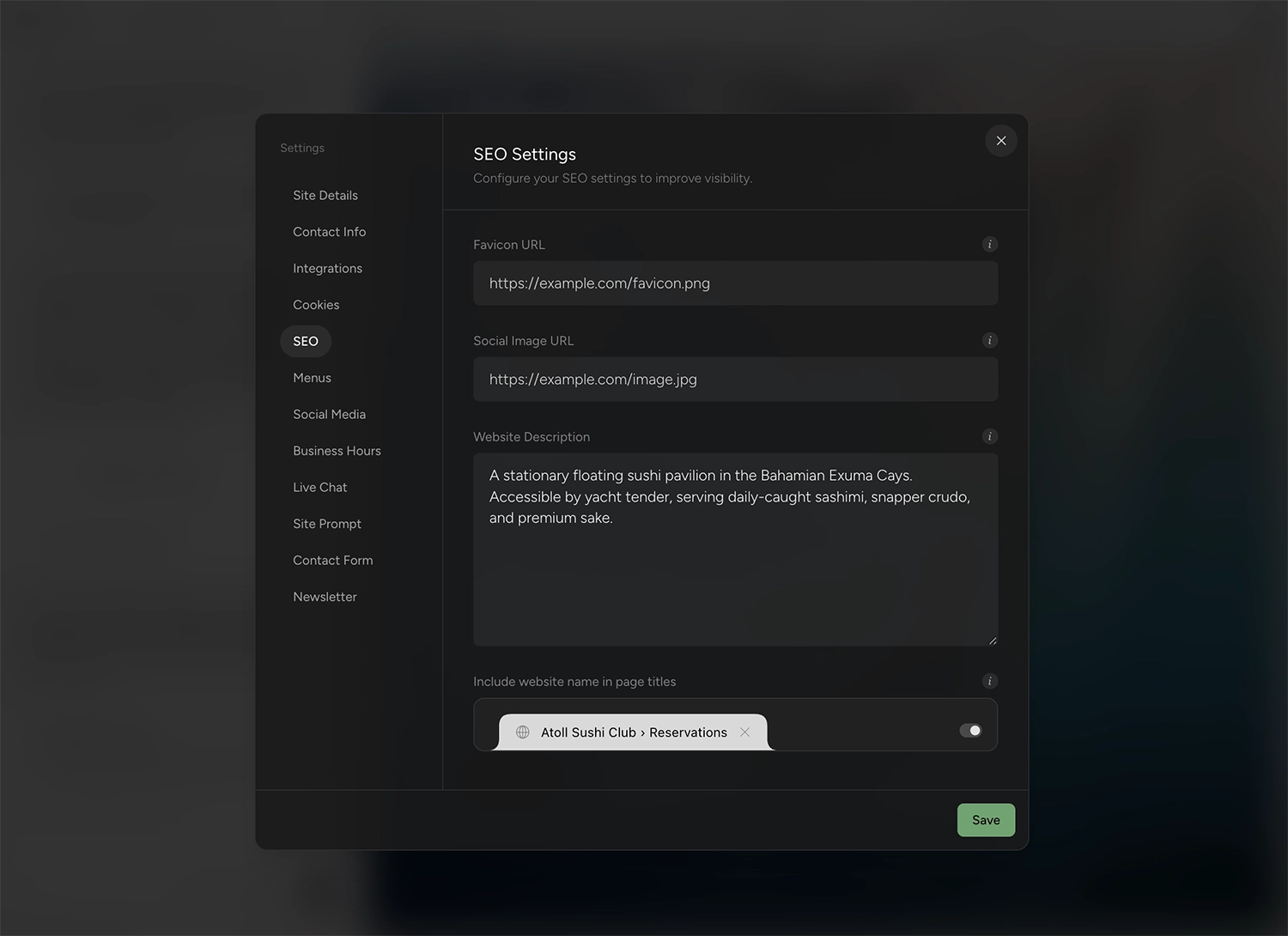
- Match your paths, or redirect them. Name your new pages so their URLs match your old ones exactly, since matching your paths is what carries the rankings across. Where a path has to change, add a permanent (301) redirect from the old URL to the new one in Outlyne’s site settings, which handles temporary (302) redirects too; a 301 tells Google the page has moved for good, so its ranking follows.
- Preserve headings and content. Keep one H1 per page and the body text that earns your rankings. Rewriting is fine; deleting old pages to tidy up is how traffic drops.
- Carry over titles and descriptions. Match each page to what you had, unless you are deliberately improving it.
After you go live
- Point your domain and confirm your paths. Once the new site is live on your domain, spot-check that your important pages sit at the URLs you matched, and that each old URL you redirected lands on its new page.
- Resubmit your sitemap. Submit the new sitemap in Google Search Console so it recrawls quickly, then watch the Pages report over the next couple of weeks to confirm your key pages stay indexed.
See the custom domain guide for the DNS steps.
How long does it take to rebuild a Weebly site with AI?
The import itself is quick.
The import is fast
The page you paste is ready to look at and edit within minutes, and you build every other page the import read when you open it, which takes a free Outlyne account and some of its AI credits. For a typical Weebly site you can be looking at a near-complete draft the same afternoon.
Older sites need more polish
The draft is the start, not the finish, and an older site usually needs more of the polish because its content has piled up over the years, with some of it worth cutting or rewriting rather than carrying over as-is. Plan on an afternoon working through it with the Outlyne AI: checking every page, tightening copy, replacing dated images, and running the SEO checklist above.
Phase a larger site
If the site is large, get your highest-traffic pages right first, then build out the rest in Outlyne while Weebly stays live, and repoint your domain only once every page you need is built on the new site, since a page that is not built yet stays off the published site. Either way it is far faster than a from-scratch redesign, since each page the import reads takes a single click to rebuild.
A single import reads up to ten pages of your site, starting from the URL you paste, and pages beyond that are ones you add in Outlyne afterward, by hand or with its AI.
What won’t transfer automatically from Weebly?
Some things come across cleanly and some do not, so it helps to know which is which before you start.
What comes across well
Your text, your page structure, and your general layout, which is most of a typical Weebly site and the part that carries your rankings. Your images are copied into your Outlyne site as each page is built, so they no longer load from your old host. An image the copy can’t fetch keeps loading from the old site, so if one goes missing after you take that site down, re-upload it.
What you will rebuild separately
- The Weebly and Square store. Online selling runs on Square’s commerce features, not on page content, so set up an equivalent separately if you sell.
- Weebly apps and built-in features. Anything added through Weebly’s app center is platform-specific and will not follow.
- Member or password-protected areas. Gated content is a platform feature rather than content, so plan for it separately.
- Forms. The rebuild recreates your contact and lead forms as working Outlyne forms with the old forms’ fields, and a form embedded from a form service, such as Google Forms, Jotform or Typeform, comes across still connected to it. A newsletter signup built with Weebly becomes an Outlyne newsletter signup, so new subscribers collect in Outlyne rather than in Weebly. Export your list before you switch. The importer tells you about other things it couldn’t keep, such as a file upload or a signup from Mailchimp’s embed code that will no longer reach its list, and what is left is checking the address the rebuilt forms email their submissions to.
None of this blocks a move; it is the list to check so nothing surprises you after launch.
How do you point your domain at the new site?
You point your domain at the new site by updating one DNS record. That record connects the www form of your domain, so if your site is currently canonical at the bare domain, plan to forward the bare domain to www as well and keep one of them canonical.
Whether your domain is at Weebly and Square or elsewhere
Your domain is either registered through Weebly and Square or at a separate registrar. Either way it is yours: you keep it and repoint it rather than buying a new one. Confirm you can sign in and reach the DNS settings before you switch — and if Weebly’s wind-down covers your country, transfer the domain to another registrar before account access ends on December 26, 2026.
Making the change
The short version is that you add a CNAME record at your domain provider with the host set to www, pointing at your Outlyne site, then add the domain, www. prefix included, in Outlyne. DNS changes can take a few minutes to a few hours to take effect, so it is normal for the switch not to feel instant.
Do not break your email
One gotcha catches people. If you use email on your domain, your mail is routed by separate MX records. Leave those untouched when you update your DNS, or you can knock your email offline while chasing the website change. Change only the records that point the website.
The full walkthrough, including the exact record values, is in the custom domain guide.
So, is Outlyne right for your Weebly site?
Here is the short version. Outlyne is a good replacement when your Weebly site is mainly a marketing site you want to feel current again and edit more easily, and with Weebly winding down, the move is more a when than an if. That is the job Outlyne’s AI is built for. It knows the strategies that make a site convert, whether the goal is captured leads, booked tables, or newsletter signups, and it will point at what to change on your pages and, with your go-ahead, make the changes for you. It is not the right move if your site depends on the Weebly and Square store, member areas, or App Center apps, since those are not part of Outlyne yet.
A low-risk way to decide
You do not have to commit to find out. Paste your Weebly URL into Outlyne and rebuild a single page before you change anything on Weebly. You get a real look at the result and the editing experience while your existing site stays live and untouched. If it fits, you carry on; if it does not, you have lost nothing.
When you are ready to move the whole site, work through the URL-matching and domain steps above so your rankings come with you.
Frequently asked questions
- Is Weebly shutting down?
- In 67 countries, yes. Weebly announced in June 2026 that it is winding down service there: sites go offline on September 27, 2026, and accounts close on December 26, 2026. Elsewhere, including the US, UK, Canada, and Australia, sites stay up for now — but with no new features, the mobile apps pulled from the app stores, and Square steering new users to Square Online, the direction is not in doubt.
- Can you export a Weebly website?
- Yes, with real limits. Weebly can email you a zip archive of your site, but the zip only covers your standard pages — blog and store pages are left out because they live in Weebly’s database — and elements like contact forms stop working outside Weebly, which cannot re-import the file either. You do not need it here anyway: the AI reads your live pages the way a visitor or Google does, so there is nothing to export.
- Will my Google rankings drop if I move off Weebly?
- They hold as long as the pages Google ranks you for keep the same URLs. An older Weebly site has often built up years of rankings, and all of that lives in your content and links, not in Weebly. Keep the paths, the copy, and the titles and your positions come with you.
- Can I keep my domain when I leave Weebly?
- Yes. Your domain is either registered through Weebly and Square or at a separate registrar, and either way you keep it and repoint its DNS to the new site. Confirm you can reach the domain settings before you switch, and if you are in one of the countries Weebly is leaving, transfer the domain out before account access ends on December 26, 2026.
- Can I rebuild only some pages of my Weebly site?
- Yes. A single import reads up to ten pages, starting from the URL you paste, and rebuilds only that page. The other pages it read are added to the new site by name and path, and you build each one when you open it, with a free Outlyne account and some of its AI credits, so only the ones you want are built. Your Weebly site stays live and untouched while you work, you add any pages beyond those ten in Outlyne, by hand or with its AI, and you repoint your domain only once every page you need is built, since a page that is not built yet stays off the published site.
- Is the rebuilt site still editable afterward?
- Yes. The rebuilt site is real, named sections you edit in the app rather than generated code, so updating an old Weebly page becomes a normal edit rather than a fight with a dated builder.
- How much does Outlyne cost compared to Weebly?
- About the same, which is the point. Weebly’s paid plans run $13 to $32 a month billed annually, and its Professional plan is $15 a month billed annually, or $20 month to month — exactly the price of Outlyne Pro, $15 a month billed annually or $20 month to month. Both have free tiers, and Outlyne’s lets you rebuild your site and try the editor before paying anything. The difference is what the money buys: Weebly is winding down, while Outlyne coaches your pages toward more inquiries, builds you a custom design system you have full control over, and supports full website export, so your site and your data stay yours.
- Should I move my Weebly site to Outlyne, or stay on Weebly?
- Move it if the site is mainly marketing and you want it to feel current, and treat the timing as decided for you if you are in one of the 67 countries Weebly is leaving. Stay on Weebly if your site runs the Weebly and Square store, member areas, or App Center apps, since Outlyne does not have those yet. A good way to decide is to rebuild one page in Outlyne before changing anything on Weebly.